
The Raja Wager App is designed for India’s mobile-first players who want fast access to real-money entertainment in rupees without wrestling with clunky menus or confusing fine print. It focuses on the essentials — OTP sign-ups, INR wallets, UPI-first payments, and a lobby that surfaces your next game in a couple of taps. This guide gives you a practical, copywriter-style overview of how the app feels in daily use: how to install it safely, register and verify, move money in and out with Indian rails, pick bonuses that actually suit your play, and keep sessions smooth on typical 4G/5G networks.
What Makes the App India-Ready
Raja Wager’s mobile experience is built around the realities of Indian connectivity and payment behavior. The interface favors big, readable touch targets and a four-tab layout (Home, Games, Wallet, Profile) that takes seconds to learn. The wallet is INR by default, KYC is tuned to PAN and common address proofs, and support switches comfortably between English and Hinglish. Most importantly, the cashier is built around UPI and India’s everyday wallets, so you’re not forced into fringe methods when you just want to deposit, play, and withdraw.
Who Will Like This App
- Players who want INR as default and everyday rails like UPI, Paytm, PhonePe, and NetBanking.
- Fans of desi tables (Teen Patti, Andar Bahar) alongside live Roulette/Blackjack and modern slots.
- Mobile users who prefer quick search, low data usage, and consistent performance on older devices.
- Newcomers who need OTP sign-ups, clear KYC steps, and bonus progress they can actually track.
Key Details for Indian Players
| Item | Detail |
|---|---|
| Default Currency | INR (₹) wallet; same-name payouts recommended |
| Core Payments | UPI, Paytm, PhonePe, NetBanking (IMPS/NEFT), cards (bank-policy dependent) |
| Typical Deposit Range | ₹200 – ₹2,00,000 per transaction (varies by method & verification tier) |
| Typical Withdrawal Range | ₹500 – ₹2,00,000 per transaction (post-KYC) |
| Processing Times | Deposits: instant to ~10 min • Withdrawals: ~15 min to 24 hrs |
| Mobile Platforms | Android APK; iOS via mobile web with Add-to-Home-Screen |
| Support | 24/7 live chat + email • English/Hinglish |
| Audience | 18+ only • Check local/state rules before playing |
Download & Safe Installation
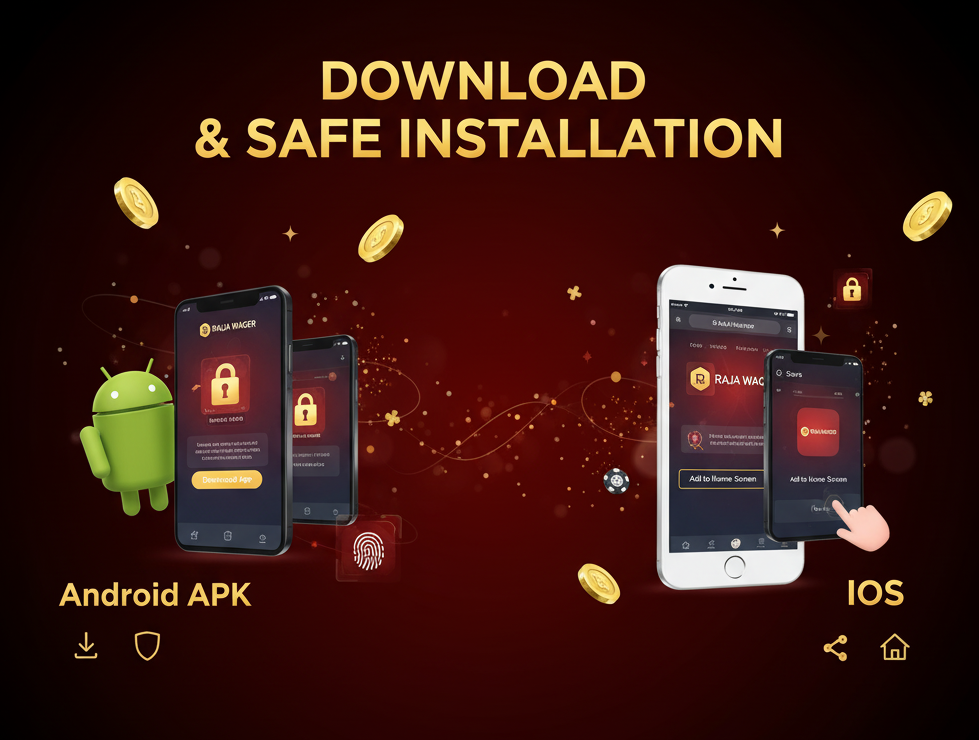
Raja Wager distributes an Android APK via its official site and a streamlined, app-like mobile web experience for iOS. The process is quick, but safety matters: stick to the official source to avoid tampered builds, and enable extra device security once you’re in.
Android APK (Safe Install in Minutes)
-
Visit the official Raja Wager site on your Android device and tap Download App/APK.
-
Allow your browser to install this one APK (you can turn the toggle off later).
-
Open the file, confirm the install, and launch the app.
-
Sign up with your mobile number or email, choose INR, verify via OTP, and set a strong password.
-
In Profile → Security, enable biometric unlock and 2FA for faster, safer access.
If the APK won’t open directly from the browser, find it in your Downloads (Files app) and install from there. A Play Protect prompt can appear for any sideloaded app; as long as you use the official site, you can proceed. “App not installed” errors usually point to low stora
iOS (Add to Home Screen)
- Open the official site in Safari on your iPhone/iPad.
- Tap the Share icon, choose Add to Home Screen, and confirm the name.
- Launch from your Home Screen for a near-native experience with quick re-entry.
- Sign up or log in, then complete KYC from Profile → Verification when prompted.
- Consider enabling Apple’s built-in password recommendations for stronger credentials.
Updating the App
Android updates are manual but easy: revisit the official site, grab the newest APK, and install on top of your current version. On iOS, updates arrive automatically whenever the web app refreshes; a quick relaunch is usually enough to pick up changes. Clearing Safari’s cached data is rarely necessary, but a hard refresh can help after major UI updates.
Security After Install
Once you’re in, lock down the essentials. Turn on biometrics and 2FA in Profile → Security, set an auto-lock so the app closes if you step away, and keep notifications focused on payments, security, and confirmed bonuses rather than generic promos. The app shouldn’t need contacts or SMS permissions; if you see an unexpected prompt, deny it and ask support. Bookmark the official domain and only update from there.
Account Creation & KYC
Registration is OTP-based and takes moments. Verification (KYC) is where you unlock the smoothest experience: faster withdrawals, higher limits, and fewer pauses if you opt into a promo later. You’ll typically submit a clear photo of your PAN for identity and an Aadhaar/bank statement/utility bill for address. Make sure the name on your documents matches your bank/UPI—this is the most common cause of payout delays.
Tips for a Friction-Free KYC
- Photograph documents in good light; avoid glare and cropped edges.
- Use the same full name across account, PAN, and bank/UPI.
- Keep your phone reachable—compliance may send a follow-up prompt or OTP.
Cashier in INR: UPI, Wallets & NetBanking
The cashier is built around Indian rails so deposits and withdrawals feel familiar. UPI is best for everyday amounts, wallets (Paytm/PhonePe) mirror UPI speed but may have method caps, and NetBanking covers larger transfers with strong traceability. Cards are supported, but outcomes vary by bank policy. Whatever you choose, the same-name rule (account ↔ bank/UPI) is the single biggest accelerator for successful payouts.
Payments in INR — Matrix
| Method | Deposit Time | Withdrawal Time | Typical Limits (₹) | Ideal Use |
|---|---|---|---|---|
| UPI (GPay/Paytm/PhonePe) | Instant–10 min | ~15 min–6 hrs | 200 – 1,00,000 | Everyday deposits & quick cashouts |
| Paytm/PhonePe Wallet | Instant | ~30 min–12 hrs | 200 – 50,000 | Small to mid-range transfers |
| NetBanking (IMPS/NEFT) | 5–30 min | ~2–24 hrs | 500 – 2,00,000 | Larger moves, audit trail |
| Cards (Visa/Mastercard) | Instant | ~2–24 hrs | 500 – 1,00,000 | Backup route if UPI not available |
Bonuses – How to Get Value Without Surprises
Promotions in the app typically cover a welcome match, reloads, occasional free spins, cashback, and tiered VIP perks. The value is there if you pick offers that match your session length and risk appetite. Slots usually contribute 100% to wagering; live tables contribute less and often carry per-round stake caps while a bonus is active. If you prefer pure cash play, skip bonuses—your cashier and payouts remain straightforward.
Bonus Claim Checklist
- Open Promotions and read the full terms (wagering, stake caps, time limit, eligible games).
- Opt in at the cashier or enter a code before depositing.
- Keep stakes within the permitted cap while wagering is active.
- Track your progress in Wallet → Bonus; don’t attempt partial cashouts mid-wager.
- If you opted in by mistake, cancel the bonus before placing any real-money bet.

Game Library & Studios
The lobby blends fast, simple desi tables with polished live studios and modern slot series. Search is responsive—type “teen”, “andar”, or “mega” and the list filters instantly. Many slot titles provide info panes with volatility, feature summaries, and published RTPs, which is handy if you like to plan sessions rather than spin blindly.
Game Library – Category Overview
| Category | Examples | Typical Stakes (INR) | Best For |
|---|---|---|---|
| Desi Tables | Teen Patti, Andar Bahar | ₹10 – ₹5,000 | Short, simple rounds; quick breaks |
| Live Casino | Roulette, Blackjack, Baccarat, Game Shows | ₹50 – ₹2,00,000 | Real dealers, studio polish |
| Video Slots | Megaways, Hold & Win, Book-style | ₹5 – ₹5,000 | Features, free spins, jackpots |
| Instant/Crash | Aviator-style, Plinko, Mines | ₹10 – ₹50,000 | Rapid outcomes; short sessions |
Live Casino: What to Expect
Live rooms stream in HD with table limits clearly posted at the lobby level so you can match your bankroll before you sit. Roulette wheels keep downtime short; Blackjack seats refill quickly during peak evenings. Some tables feature Indian dealers, and chips are denominated in INR, which removes mental math. If you’re new to live play, spend a few rounds as an observer, learn the rhythm of the studio, then start small and build a pace you can comfortably maintain.
Mobile UX & Performance
The app is lightweight to keep CPU and data use modest. On patchy 4G, it downshifts visual assets to hold frame rate—especially important in live studios where stability matters more than ultra-high bitrate. The bottom navigation never changes, so your muscle memory builds quickly, and the Wallet tab remembers your last deposit route to shave seconds off repeat payments. Push alerts are restrained—primarily cashbacks, limited-time reloads, or a heads-up when a tournament is about to start—so you can opt in without drowning in noise.
Mobile Play Tips
- Prefer a stable 4G/5G zone or Wi-Fi for live tables to avoid reconnects mid-hand.
- Enable biometrics/2FA and set an auto-lock timer to protect your wallet.
- Keep the app current; providers push performance fixes that you’ll notice on older phones.
- Use in-app reality checks (e.g., every 30–45 minutes) to pace sessions and avoid tilt.
Safety, Fair Play & Data Protection
Security is built on HTTPS plus encryption for wallet actions. Biometric raja wager login and 2FA add a strong layer on devices that support them. KYC and AML checks are standard for any operator handling real money; clear documents reduce back-and-forth and help payouts move. For fairness, non-live titles rely on certified RNGs from reputable studios, while live tables stream from licensed studios with visible histories and limits. If you replace your phone, log out on the old device and re-authenticate with OTP on the new one to keep your session list clean.
Responsible Play (18+ Only)
Treat the app like any other paid entertainment: set a monthly INR budget you can comfortably afford, choose a session length that fits your day, and walk away if you’re not enjoying yourself. Raja Wager offers deposit/loss caps, session reminders, cool-offs, and voluntary self-exclusion. Used early, these tools keep gaming sustainable. If you find yourself chasing losses or hiding play, pause and speak to someone you trust; support can direct you to professional resources if needed.
Customer Support & Troubleshooting
Live chat runs 24/7 with short waits outside peak evenings. Agents can switch to Hinglish without fuss and will escalate payment or verification quirks to compliance. For faster resolutions, be specific: share your registered mobile/email, method used (UPI ID, bank name), transaction reference, amount, and timestamp. For game issues, note the provider, title, and round ID if shown.
What to Share with Support
- Registered mobile/email and last 4 digits of the order/reference number.
- Payment method and identifiers (UPI ID, bank, wallet).
- Screenshots of any error and the approximate time it occurred.
- Device model and Android/iOS version for APK or performance issues.
Legal & Eligibility Notes
Indian states differ on online gaming. The Raja Wager App is intended for adults (18+) in places where such play is permitted. Laws can change; confirm your local rules before you register or deposit. If you travel, the rules at your new location may be different—avoid using public Wi-Fi for payments, and keep credentials private.
FAQ
Is there a native iOS app?
Not at the moment. iOS users access the mobile site and add it to the Home Screen for an app-like experience with one-tap entry.
How fast are withdrawals?
After KYC approval, straightforward UPI/NetBanking withdrawals often clear in minutes to a few hours. Evening peaks or missing documentation can extend timelines up to 24 hours.
Do live games count toward wagering?
Generally at a reduced rate compared to slots. Always read the contribution table and stake caps on the promo card before you opt in.
Can I cancel a bonus after opting in?
If you haven’t placed a real-money bet, you can usually cancel from the Bonus tab. Once wagering begins, you’ll need to complete or forfeit based on the terms.
What if my Android APK won’t install?
Verify you used the official download, remove older builds, allow installs from your browser for this session, and try again. Still stuck? Contact live chat with your device model and Android version.